Find theapartmentin one click
Buyers want to know which apartments are free, what they cost and how much light they get. A site that answers on the building itself sends the sales team warm, specific enquiries.
What usually goes wrong
PDF price lists
Outdated lists by email mean questions about apartments that are already sold.
Renders without answers
Beautiful images, but no way to see sizes, orientation or status.
Unqualified enquiries
“Send me everything” emails cost the sales team time.
A site that ages with the project
Statuses, phases and prices that nobody updates in time.
Built to win customers
Interactive building
Point at a floor to see its apartments with size, orientation, price and status.
Apartment finder
Filter by rooms, area, floor, view and price — always in sync with availability.
Floor plans and sunlight
Downloadable plans and a slider that moves the sun across the plan through the day.
Enquiries per apartment
Enquiries and viewing requests that name the apartment, straight to sales or the CRM.
Easy status updates
Sales mark apartments reserved or sold in an admin, or it syncs from your sales system.
Location and progress
Neighbourhood map, construction updates and phases that keep buyers informed.
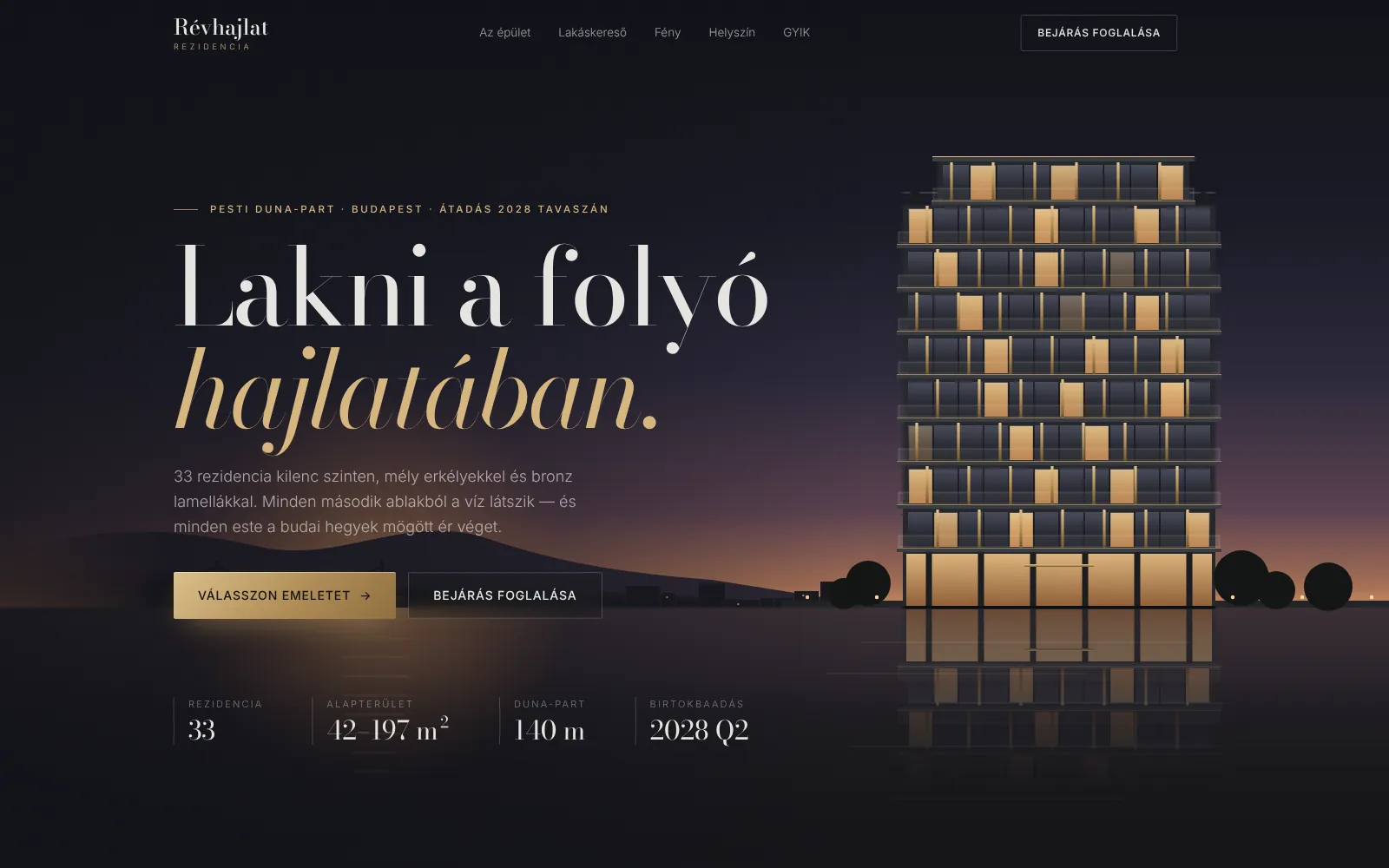
Révhajlat Rezidencia
Riverside residences
Révhajlat Rezidencia is a fictional riverside development: an interactive elevation where each floor shows its apartments, an apartment finder and a slider that moves the sun across a floor plan from morning to evening.
What it costs
Project website
Story, renders, location, apartment list and enquiry form.
With interactive availability
Interactive building, apartment finder, floor plans, admin for statuses.
Sales integration
CRM/sales system sync, reservations and multi-project portal.
Guide prices including design and development; the exact price comes in a written quote after a free consultation. How much does a website cost in 2026?
How it works
- 1
Free consultation
A short call about your business, goals and what you have today.
- 2
Written proposal
Scope, price and schedule in writing — no surprises later.
- 3
Design and build
Step by step, with previews you can click through on your phone.
- 4
Launch and care
Go live, a short handover, then support as you need it.
Frequently asked
Who updates the apartment statuses?
Your sales team in a simple admin — or automatically from the sales system or CRM if you use one.
Do we need a 3D model of the building?
No — the interactive elevation is built on your renders; a 3D model is an optional extra.
Can one site handle several projects?
Yes, as a developer portal with a page and finder per project.
Can buyers reserve online?
Usually enquiries and viewing requests work best; online reservations with a deposit are possible when your sales process allows it.
How long does it take?
A project site takes about 3–5 weeks; with the interactive building and finder 6–10 weeks — ideally ready for the start of sales.